
Fiber vs. Cable: Why Your 'Gigabit' Connection Still Lags
Measure Your True Jitter Score
We just launched MyJitter.com, a specialized tool built exclusively for competitive gamers to analyze network stability and rank their connection.
The Infrastructure Problem: Light vs. Electricity
Cable Internet (DOCSIS) uses copper coaxial cables — the same infrastructure originally built for cable television in the 1980s and 1990s. Data is transmitted as electrical signals through copper conductors. Electrical signals are inherently prone to "noise" — interference from nearby power lines, appliances, weather conditions, and even the electromagnetic radiation from other cables in the same bundle. To compensate, the modem must constantly run error-correction algorithms, checking for corrupted data and requesting retransmissions. Each of these corrections adds a small amount of latency that accumulates into measurable jitter.
Fiber Internet (FTTH — Fiber-to-the-Home) uses thin strands of glass, each thinner than a human hair. Data is transmitted as pulses of light (laser signals). Light does not experience electrical interference, is immune to electromagnetic noise, and can travel much longer distances without signal degradation or the need for amplifiers (repeaters). This fundamental physical advantage means fiber delivers data with significantly lower latency, lower jitter, and fewer retransmissions than copper cable ever can.
| Metric | Fiber (FTTH) | Cable (DOCSIS 3.1) | Winner |
|---|---|---|---|
| Typical Ping | 3 – 12ms | 15 – 35ms | Fiber |
| Jitter | 0.5 – 2ms | 3 – 15ms | Fiber |
| Upload Speed | Symmetrical (1 Gbps) | Asymmetrical (35 Mbps) | Fiber (28x faster upload) |
| Peak Hour Stability | Dedicated line — no sharing | Shared neighborhood node | Fiber |
| Weather Resistance | Immune | Vulnerable (rain, heat) | Fiber |
| Signal Degradation | Minimal over 100+ km | Significant over 1+ km | Fiber |
Symmetrical vs. Asymmetrical Speeds: The Upload Problem
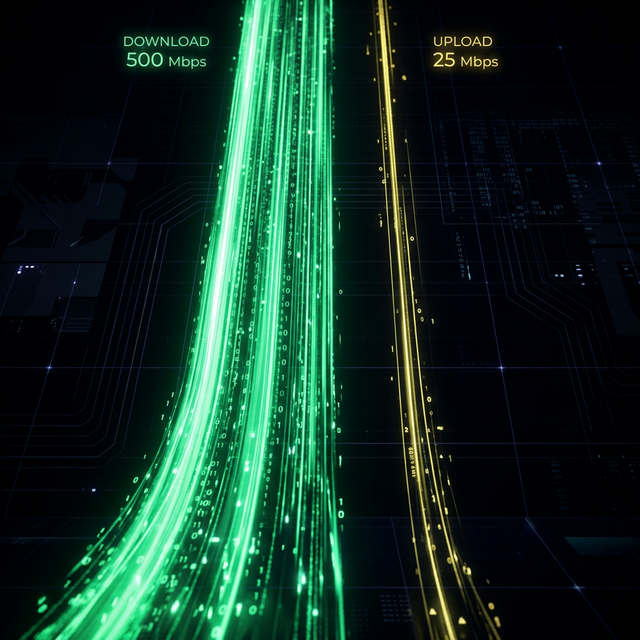
Cable internet is inherently "Asymmetrical." The DOCSIS standard allocates most of the coaxial cable's frequency spectrum to downstream (download) traffic, leaving only a small slice for upstream (upload). A typical Gigabit cable plan delivers 1,000 Mbps download but only 35 Mbps upload — a 28:1 ratio that creates a severe bottleneck for upload-dependent activities.
This asymmetry has real consequences for gaming. While active gameplay uses minimal upload bandwidth (usually under 1 Mbps), the problem arises when other activities saturate that tiny 35 Mbps upload pipe. If someone on your network is on a Zoom call (5 Mbps upload), another person is streaming to Twitch (6 Mbps), and your phone is backing up photos to iCloud (10 Mbps), that 35 Mbps pipe is nearly full. Any additional upload traffic creates bufferbloat that spikes your gaming ping to 200ms+.
Fiber is typically "Symmetrical" — meaning 1,000 Mbps down AND 1,000 Mbps up. You can upload a massive file to Google Drive, run a Zoom call in 1080p, stream to Twitch, and play Valorant simultaneously — all without your ping moving a single millisecond.
The Shared Neighborhood Node Problem
Cable internet uses a "shared medium" architecture. The coaxial cable running down your street is connected to a neighborhood "node" that serves 100-500 homes. All of those homes share the same bandwidth pool. When everyone comes home from work at 7 PM and starts streaming 4K video, playing games, and running video calls, the shared node becomes congested. This is why cable users often experience dramatically slower speeds at night compared to midday.
Fiber-to-the-Home uses a dedicated optical line for each home. Your data does not share physical infrastructure with your neighbors. Whether it is 2 AM or 8 PM, your connection performance is identical because no one else's usage can affect your throughput or latency.
The Real-Time Test Verdict
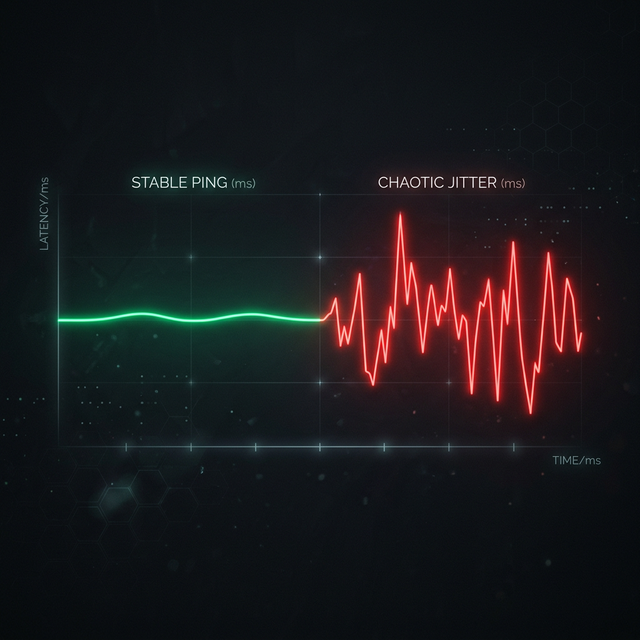
Use our Real-Time Speed Monitor on your connection and watch the ping graph for 5 minutes. On a Cable connection, the line will typically have small periodic "jitters" — tiny upward spikes every few seconds caused by error correction and node-level contention. On a true Fiber-to-the-Home connection, the line will often look like a perfectly straight, flat line with variation under 1ms.
This visual difference is the single best indicator of connection quality. Two connections can both show "300 Mbps" in a speed test, but the one with a flat ping line will always feel more responsive for gaming and video calls.
What About "Fiber-Hybrid" Connections?
Be cautious of ISPs marketing "Fiber" when they actually provide Hybrid Fiber-Coax (HFC). In an HFC setup, fiber runs from the ISP to a neighborhood cabinet, but the "last mile" into your home still uses copper coaxial cable. This means you still inherit all the problems of cable — asymmetrical speeds, shared node congestion, and electrical interference — for that critical last stretch.
True Fiber-to-the-Home (FTTH) means fiber optic cable runs all the way into your house and terminates at an Optical Network Terminal (ONT) — a small box usually installed by your front door. If you have an ONT, you have real fiber. If you have a coaxial cable running from the wall to your modem, you have cable (or HFC), regardless of what your ISP calls it.
"Even a 100 Mbps Fiber plan is better for gaming than a 1,000 Mbps Cable plan. Speed is meaningless without stability. A Ferrari is useless on a road full of potholes."
The Future: DOCSIS 4.0 vs. Next-Gen Fiber
The cable industry is not standing still. DOCSIS 4.0, currently being deployed by major ISPs, promises symmetrical multi-gigabit speeds over existing coaxial infrastructure. It introduces "Full Duplex" capability that theoretically allows upload speeds to match download speeds — a major improvement. However, DOCSIS 4.0 still uses copper, still shares bandwidth at the node level, and still requires more error correction than fiber.
Meanwhile, next-gen fiber technologies like XGS-PON (10 Gbps symmetrical) and 25G-PON are already in deployment. Fiber's physical properties — immunity to interference, near-zero signal degradation, and speed-of-light transmission — will always provide a fundamental advantage in raw latency and stability over any technology that relies on electrical signals through copper.
Frequently Asked Questions
Why is fiber latency lower than cable?
Fiber uses light signals through glass, which is immune to electrical interference and requires minimal error correction. Cable uses electrical signals through copper, which is prone to noise and requires constant error-checking that adds processing delays. Fiber also uses dedicated lines per home, while cable shares bandwidth across the neighborhood.
Is "Fiber-Hybrid" the same as "Full Fiber"?
No. Hybrid Fiber-Coax (HFC) still uses copper coaxial cable for the last mile into your home, meaning you still face the congestion, asymmetrical speeds, and latency issues of traditional cable. True FTTH (Fiber-to-the-Home) runs fiber all the way to your premises, terminating at an ONT device.
Can cable ever be as good as fiber?
Newer standards like DOCSIS 4.0 are narrowing the speed gap with symmetrical multi-gigabit capability. However, fiber's physical properties — immunity to electromagnetic interference, dedicated lines, and no shared neighborhood bandwidth — will always provide an edge in raw latency, jitter, and consistency for real-time applications like gaming and video calls.
How do I check if I have real fiber?
Look for an ONT (Optical Network Terminal) in your home — it is a small box, usually wall-mounted near your entry point, with a fiber optic cable running into it. If you see a coaxial cable connected to a modem, you have cable or HFC. You can also ask your ISP directly if your connection is FTTH (Fiber-to-the-Home) or HFC (Hybrid Fiber-Coax).
Related Tools
Live Speed Test
Measure your exact connection speed in Mbps right now.
Wi-Fi Speed Test
See how much speed your wireless connection is losing.
Continue Reading

What Is Latency? Everything You Need to Know
What is Jitter? A Simple Guide to Network Stability
Download Speed vs Upload Speed: What Matters More?
Is your connection unstable?
Don't just guess. Use our real-time monitor to see exactly what's happening with your download, upload, and ping variance right now.
START REAL-TIME TEST