
What is a Good Ping for Valorant, CS2, and Fortnite?
Measure Your True Jitter Score
We just launched MyJitter.com, a specialized tool built exclusively for competitive gamers to analyze network stability and rank their connection.
Understanding Ping: What It Actually Measures
Ping (latency) is the time it takes for a tiny data packet to travel from your computer to the game server and back, measured in milliseconds (ms). When you press the "shoot" key, that command travels to the server, the server processes it, and the result is sent back to you. Every millisecond of ping is a delay in that loop.
What most players overlook is that ping is a round-trip measurement. If your ping is 40ms, it means 20ms to get to the server and 20ms to come back. This is why the difference between 10ms and 50ms feels more dramatic than the numbers suggest — it is actually a 40ms difference in how quickly the server confirms your actions.
The Competitive Ping Tiers
LAN-level performance. Used by tournament players who physically relocate near servers. Hit registration is essentially instant.
The ideal for ranked play. You will have a clear advantage in peeking duels. This is the target for most serious competitive players.
Completely playable. You may lose the occasional close-range duel, but the disadvantage is minor with proper positioning.
Noticeable delay. Hits don't register consistently, enemies may appear to "teleport," and fast-reaction plays become unreliable.
Does Low Ping Really Give You an Advantage?
Yes, and the advantage is mathematically provable. In tactical shooters, the concept of "Peeker's Advantage" means that the player who peeks around a corner sees the enemy before the enemy sees them. This window of invisibility is directly proportional to the difference in ping between the two players. If you have 10ms ping and your opponent has 60ms, you get roughly 50ms of extra time to react — an eternity in a game where the average kill-time is 200-400ms.
However, most modern games use "Lag Compensation" algorithms. The server rewinds time slightly to check if your shot would have hit based on what you were seeing at the time of firing. This makes 50ms ping feel much more playable than it did in older games. But it does not eliminate the advantage — it only softens it. A player with 10ms will still consistently peek faster and register shots more reliably than a player with 60ms.
"In Valorant's 128-tick servers, every 7.8ms is one server tick. The difference between 10ms and 50ms ping is literally 5 server frames of advantage."
Ping Requirements by Game
| Game | Ideal Ping | Playable Limit | Why It Matters |
|---|---|---|---|
| Valorant | < 25ms | 60ms | 128-tick servers are extremely ping-sensitive. Spray control and flick accuracy degrade noticeably above 50ms. |
| CS2 | < 20ms | 55ms | Sub-tick system makes hit registration less forgiving. Counter-strafing timing is directly tied to your latency. |
| Fortnite | < 15ms | 50ms | Building and editing are the most ping-dependent mechanics in any competitive game. Pros relocate for 0-5ms. |
| Warzone / Apex | < 40ms | 75ms | Higher TTK and larger player counts make these more forgiving. Stability (low jitter) matters more than raw ping. |
| League of Legends | < 35ms | 80ms | Less reflex-dependent than FPS, but combo timing and skill-shot accuracy suffer above 60ms. |
| Rocket League | < 20ms | 60ms | Ball physics are server-authoritative. High ping causes the ball to visually "snap" to a different position after each touch. |
Why Stable Ping is More Important Than Low Ping
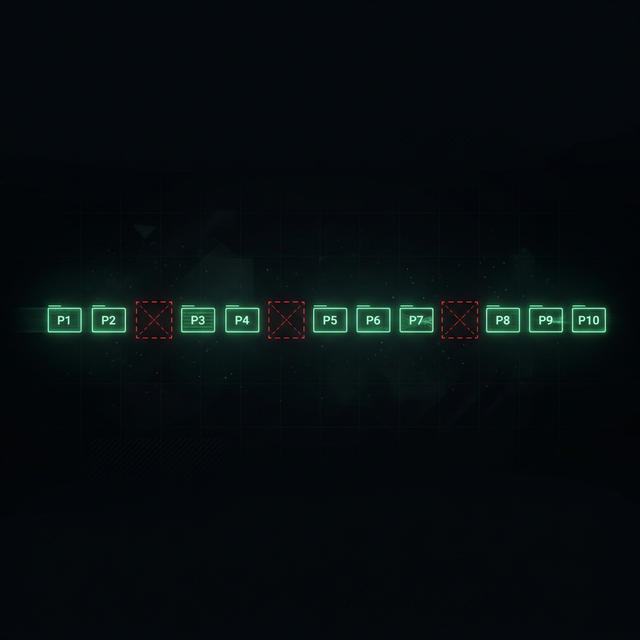
Most players obsess over their average ping number, but consistency (jitter) is arguably more important. A player with a rock-solid 45ms connection will outperform a player whose ping bounces between 15ms and 80ms. Why? Because your brain and muscle memory calibrate to a specific delay. If that delay keeps changing, your timing for everything — peeking, shooting, ability usage — becomes unreliable.
This is why wired Ethernet connections are non-negotiable for competitive play. WiFi is inherently variable — your ping can spike by 30ms just because your neighbor's microwave turned on. Ethernet provides a deterministic, jitter-free path from your PC to your router, eliminating the biggest source of instability in most home networks.
Stable vs Unstable Ping
How to Lower Your Ping: Quick Wins
1. Use Ethernet, not WiFi. This alone can shave 5-15ms off your ping and virtually eliminate jitter. A basic Cat6 cable costs less than a gaming drink.
2. Choose the closest server region. Every game lets you select a server region. Picking a server 500 miles away instead of 2,000 miles away can drop your ping from 60ms to 15ms.
3. Close background applications. Cloud backups (OneDrive, Google Drive), system updates, and torrent clients saturate your upload, causing bufferbloat that spikes your ping.
4. Switch DNS servers. While DNS does not affect in-game ping directly, faster DNS reduces connection establishment time and can improve matchmaking server selection.
5. Check for ISP throttling. If your ping is suspiciously high only during peak hours, your ISP might be deprioritizing gaming traffic. Test for throttling using the VPN method.
6. Upgrade your router. Routers past their typical 3-5 year lifespan often have degraded hardware that introduces internal jitter. A modern WiFi 6 router with SQM support can dramatically stabilize your connection.
Frequently Asked Questions
Is 50ms ping good for Valorant?
50ms is playable and you can still reach high ranks, but in Immortal and Radiant lobbies you will feel a slight disadvantage against players with 10-20ms. The game's 128-tick servers amplify small ping differences. Aim for under 30ms for the most consistent experience, especially if you play aggressive entry-frag roles.
Why is my ping different in every game?
Your ping depends on the physical distance to each game's specific servers. Valorant might have a data center in your city (giving you 10ms), while Fortnite's nearest server could be 500 miles away (giving you 40ms). Different games also use different server locations, netcode, and tick rates, all of which affect perceived responsiveness.
Does low ping make me a better player?
Low ping does not improve your aim or game sense, but it ensures that your mechanical skills are faithfully represented in the game. Your shots register faster, you see enemies slightly sooner when peeking corners, and your movement inputs respond more crisply. Think of it as removing a handicap rather than adding a superpower.
Can a gaming VPN lower my ping?
In most cases, a VPN increases ping by adding an extra network hop. However, if your ISP has suboptimal routing to the game server, a gaming VPN (GPN) like ExitLag can sometimes force a more direct path, reducing ping by 10-30ms. Test with and without to compare.
Related Tools
Live Speed Test
Measure your exact connection speed in Mbps right now.
Wi-Fi Speed Test
See how much speed your wireless connection is losing.
Continue Reading

How to Reduce Ping: 12 Proven Methods

What Is Latency? Everything You Need to Know
How to Fix Packet Loss in Gaming
Is your connection unstable?
Don't just guess. Use our real-time monitor to see exactly what's happening with your download, upload, and ping variance right now.
START GAMING PING TEST