
Is Your ISP Throttling You? Here's How to Tell
What Exactly Is ISP Throttling?
Throttling is the deliberate slowing of internet traffic by your Internet Service Provider. Instead of delivering your full bandwidth to every service equally, the ISP inspects your data packets using a technique called Deep Packet Inspection (DPI). This allows them to identify what type of traffic you are sending or receiving. They can distinguish Netflix video streams from regular web browsing, gaming packets from email, and torrenting from cloud storage.
Once they identify the traffic type, they can selectively reduce the bandwidth allocated to specific services. You might get your full 300 Mbps for browsing and speed tests, but only 15 Mbps for Netflix, and 5 Mbps for BitTorrent. The result is that speed tests look perfect while the services you actually use feel unbearably slow.
Why Do ISPs Throttle?
Network Congestion Management
During peak hours (7 PM to 11 PM), ISPs throttle bandwidth-heavy services to prevent their network from becoming overwhelmed. This is especially common on cable networks where neighborhood nodes share bandwidth.
Data Cap Enforcement
Some ISPs throttle your entire connection after you exceed a monthly data cap, reducing speeds from hundreds of Mbps down to 1 to 5 Mbps until the billing cycle resets.
Paid Prioritization (Fast Lanes)
In regions without strong net neutrality laws, ISPs can charge streaming services for priority access. Services that do not pay may get intentionally degraded performance.
Discouraging P2P Traffic
Many ISPs heavily throttle peer-to-peer protocols like BitTorrent because they generate massive amounts of sustained upstream traffic that strains network capacity.
How to Test for ISP Throttling: The VPN Method
The most reliable way to detect throttling is the VPN comparison test. The logic is simple: a VPN encrypts all of your internet traffic, making it impossible for your ISP to identify what you are doing. If your ISP is throttling specific services based on DPI, enabling a VPN will bypass the throttle because the ISP can no longer distinguish Netflix traffic from regular web browsing. Here is the step-by-step process:
The VPN Throttling Test
Run a standard speed test without a VPN.
Note your download speed, upload speed, and ping. Test at a site like this one.
Test the specific service you suspect is being throttled.
Open Netflix, YouTube, or start a game download. Note the actual speed or buffering behavior.
Connect to a VPN server in a nearby location.
Choose a server geographically close to you to minimize the VPN's own latency overhead.
Repeat the speed test and test the same service again.
If the service is suddenly much faster through the VPN, your ISP was throttling it.
Important caveat:
VPNs add a small amount of overhead (typically 5 to 15% speed reduction). If speeds are roughly similar with and without the VPN, throttling is unlikely. But if Netflix jumps from buffering at 480p to streaming flawlessly at 4K, you have your answer.
Other Signs of Throttling
Speed tests show full speed, but real usage is slow. This is the classic red flag. ISPs know that customers use speed tests to verify their connection, so some providers actually detect speed test traffic and temporarily boost your speeds for the duration of the test. This practice is sometimes called "fast-laning" speed tests.
Specific times of day are consistently slow. If your connection is perfect from 8 AM to 5 PM but degrades every evening, your ISP is likely throttling during peak hours when network demand is highest.
Only certain services are affected. If Netflix buffers but Hulu works fine, or YouTube struggles while Vimeo plays perfectly, targeted throttling of specific services is the most likely explanation.
Speeds drop after hitting a data threshold. Some ISPs advertise "unlimited" data but bury a soft cap in the fine print. After you consume, say, 1 TB in a month, they secretly reduce your speeds for the remainder of the billing cycle.
How to Bypass ISP Throttling
1. Use a reputable VPN. Since throttling relies on the ISP identifying your traffic type, encrypting everything with a VPN makes it impossible for them to single out specific services. Services like NordVPN, ExpressVPN, or Mullvad encrypt your entire connection, making all traffic look identical to your ISP.
2. Switch to HTTPS everywhere. While not as comprehensive as a VPN, ensuring you use HTTPS connections prevents your ISP from seeing the exact content of your traffic. Most modern websites and streaming services already use HTTPS by default.
3. Change your DNS server. While this will not bypass deep packet inspection, changing from your ISP's DNS to Cloudflare (1.1.1.1) or Google (8.8.8.8) prevents your ISP from logging your DNS queries, which some providers use as an additional data point for throttling decisions.
4. File an FCC complaint (US only). If you can document that your ISP is throttling specific services below the speeds you are paying for, you can file a complaint at fcc.gov/consumers/guides/filing-informal-complaint. ISPs take FCC complaints seriously because they can trigger formal investigations.
5. Switch ISPs. If you have access to multiple providers in your area (especially fiber), voting with your wallet by switching to a non-throttling competitor is the most permanent solution.
"If your speed test says 300 Mbps but Netflix only works in 480p, the infrastructure is not the problem. Someone between you and Netflix is making a deliberate choice."
Frequently Asked Questions
Is ISP throttling legal?
It depends on your country's net neutrality laws. In the US, net neutrality protections were repealed in 2017, and while some states have enacted their own rules, ISPs broadly have the legal ability to manage traffic as they see fit, as long as they disclose it (often buried in the terms of service). In the EU, net neutrality regulations are stronger and generally prohibit discriminatory throttling.
Will a VPN slow down my connection?
A VPN adds a small amount of overhead due to encryption processing and the extra hop through the VPN server. Typically, you will see a 5 to 15% reduction in raw speed. However, if your ISP is throttling a service by 80%, the VPN's 10% overhead is a trivial price to pay for the dramatic improvement in usable speed.
Can my ISP see that I am using a VPN?
Yes, your ISP can detect that you are using a VPN because the traffic patterns are distinctive. However, they cannot see what you are doing through the VPN. The encrypted tunnel makes all your traffic look like opaque, scrambled data. Some very aggressive ISPs have started throttling all VPN traffic indiscriminately, but this is relatively rare as it affects business VPN users as well.
Related Tools
Live Speed Test
Measure your exact connection speed in Mbps right now.
Wi-Fi Speed Test
See how much speed your wireless connection is losing.
Continue Reading

Best DNS Servers for Speed in 2026

Why Is My Internet Slow? 10 Causes & How to Fix Them
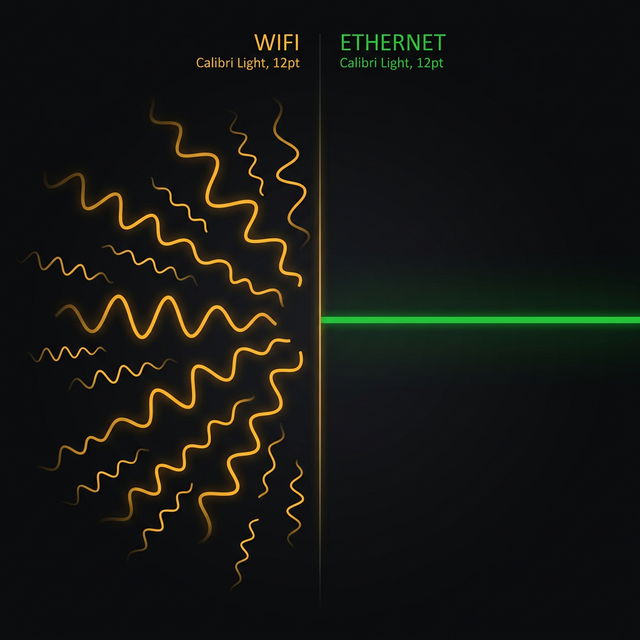
WiFi vs Ethernet: Real Speed Comparison
Is your connection unstable?
Don't just guess. Use our real-time monitor to see exactly what's happening with your download, upload, and ping variance right now.
START REAL-TIME TEST