
Real-Time Ping Test
Traditional ping tests show you a single number. Our continuous monitor tracks your latency every few seconds, plotting it on a live graph so you can see exactly when and why your ping spikes — not just that it did.
Ready to test your Ping?
Our continuous real-time monitor runs directly in your browser. Uncover hidden latency and verify your connection stability.
Launch Real-Time Speed TestWhat Is Ping and Why Does It Matter?
Ping measures the round-trip time for a tiny data packet to travel from your device to a server and back. It is measured in milliseconds (ms). While download speed determines how fast you can load a file, ping determines how responsive your connection feels.
This distinction is critical for any real-time activity. In a video call, high ping causes delayed audio and awkward cross-talking. In gaming, it means your actions happen on the server milliseconds after you input them, giving opponents with lower ping a measurable advantage.
Most speed tests show you a single ping reading — but your connection's latency is never constant. It fluctuates based on congestion, Wi-Fi interference, and ISP routing. Our continuous ping monitor reveals the full latency picture by testing every 3–5 seconds and plotting the results on a live timeline.
Ping Speed Ranges: What's Good and What's Bad
0–20ms — Excellent
Ideal for competitive FPS games, real-time trading, and professional video conferencing. Typically only achievable on fiber with a wired connection to a nearby server.
20–50ms — Good
Perfectly fine for casual gaming, video calls, and general browsing. Most cable and good Wi-Fi connections fall in this range.
50–100ms — Acceptable
Noticeable in fast-paced gaming but tolerable. Video calls may have slight delay. Common on 4G/5G mobile connections or distant servers.
100ms+ — High Latency
Causes visible lag in gaming and choppy audio in calls. May indicate ISP congestion, poor Wi-Fi signal, or a server located far from your region.
What Causes High Ping?
Physical Distance to the Server
Data travels at the speed of light through fiber optic cables, but even light takes time. A server 5,000 miles away will always have higher ping than one 50 miles away. This is a physics limitation, not a network one.
Wi-Fi Interference and Signal Degradation
Wi-Fi is a half-duplex radio signal. Walls, appliances, and neighboring routers cause interference that increases both latency and jitter. Switching to Ethernet or optimizing your Wi-Fi can cut ping in half.
Network Congestion (Bufferbloat)
When someone on your network is streaming 4K or downloading a large file, their data fills up your router's buffers. Your ping packets get stuck in the queue behind the bulk data, causing massive spikes. This is called bufferbloat.
ISP Routing Inefficiency
Your ISP may route your traffic through multiple unnecessary hops. Instead of a direct path to the server, your data might bounce through several cities. You can learn more about how to reduce ping and compare it to what a fiber connection would provide.
Ping vs. Jitter: Two Sides of the Same Coin
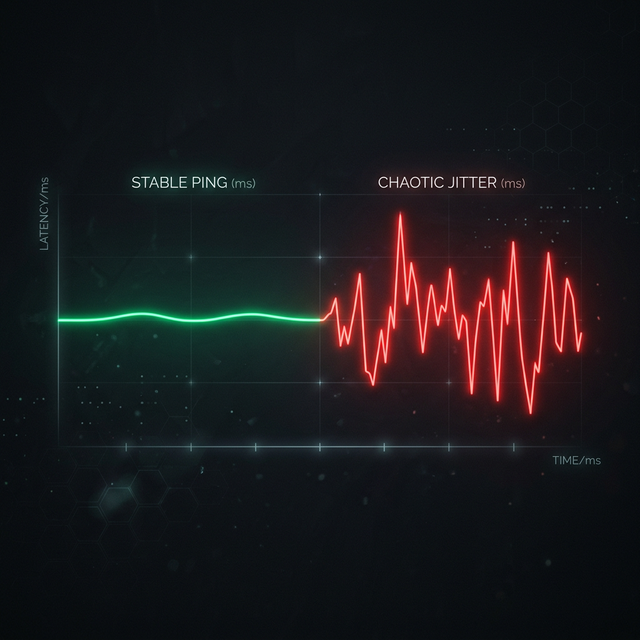
Ping tells you the average latency. Jitter tells you how consistent that latency is. A stable 50ms ping is far better than a ping that swings between 15ms and 120ms. The swinging connection has low average ping but terrible jitter, causing micro-stutters and unpredictable behavior in games and calls.
Our real-time monitor tracks both simultaneously. Watch the live graph — a flat, smooth line means your connection is stable. A jagged, spiking line indicates high jitter that needs investigation.
Ping Test FAQ
What is a good ping speed?
What is the difference between ping and latency?
Why is my ping so high even though my internet speed is fast?
Does a VPN lower ping?
How do I lower my ping?
Continue Reading
What is Jitter? A Simple Guide to Network Stability

How to Reduce Ping: 12 Proven Methods

How Much Internet Speed Do I Need for Gaming?
Is your connection unstable?
Don't just guess. Use our real-time monitor to see exactly what's happening with your download, upload, and ping variance right now.
START REAL-TIME TESTMeasure Your True Jitter Score
We just launched MyJitter.com, a specialized tool built exclusively for competitive gamers to analyze network stability and rank their connection.