
How Much Internet Speed Do I Need for Gaming?
Measure Your True Jitter Score
We just launched MyJitter.com, a specialized tool built exclusively for competitive gamers to analyze network stability and rank their connection.
The Truth: Gaming Uses Almost No Bandwidth
This is the single most misunderstood fact about online gaming. During active gameplay, most online games use between 20 Kbps and 100 Kbps (kilobits, not megabits). That is roughly 0.02 to 0.1 Mbps. Even the most chaotic, bandwidth-intensive multiplayer games like large-scale 40-player World of Warcraft raids, 128-player Battlefield matches, or intense final circles in Fortnite rarely exceed 1 Mbps of sustained usage. To put that in perspective, watching a single 4K Netflix video uses 25 times more bandwidth than playing the most demanding online games.
The reason for this efficiency is that games do not transmit video. When you play a first-person shooter, the high-resolution graphics, textures, sounds, and models are already stored on your local hard drive or console. The game client does not need to stream video from the server to show you what is happening.
Instead, it sends small data packets containing state and position updates: "Player X is now at map coordinates (150, 230, 45), facing direction 172 degrees, health at 85%, firing weapon type 4." These coordinate updates are incredibly dense and optimized, often totaling only a few hundred bytes each. Even in a competitive game like Valorant or Counter-Strike 2, which operate at high "tick rates" (updating the game state 64 or 128 times per second to ensure competitive integrity), the total bandwidth requirement remains miniscule because the data payload inside each tick is so profoundly small.
Bandwidth Requirements by Game Type
| Game Type | Examples | Bandwidth Used | Data per Hour |
|---|---|---|---|
| Competitive FPS | Valorant, CS2, Fortnite | 30 to 100 Kbps | 40 to 100 MB |
| Battle Royale | Warzone, Apex Legends, PUBG | 40 to 80 Kbps | 50 to 80 MB |
| MMORPG | WoW, FFXIV, ESO | 20 to 60 Kbps | 30 to 70 MB |
| MOBA | League of Legends, Dota 2 | 15 to 40 Kbps | 20 to 50 MB |
| Racing / Sports | Rocket League, EA FC | 20 to 50 Kbps | 25 to 60 MB |
| Cloud Gaming | GeForce NOW, Xbox Cloud | 15 to 50 Mbps | 10 to 40 GB |
Notice that cloud gaming is the sole glaring exception. Because cloud gaming streams literal real-time interactive video back to your device (like YouTube, but you control the player), it requires significant, robust bandwidth. Every other type of online gaming running natively on your local hardware uses next to nothing.
What Actually Matters for Gaming: Ping, Jitter, and Packet Loss
If raw bandwidth is not the bottleneck, what is? The three metrics that actually determine whether you win or lose the gunfight are ping (latency), jitter (ping consistency), and packet loss (data that simply never arrives at the server). These three metrics dictate the real-time responsiveness of the game state. They are far more important than whether you have 50 Mbps or 500 Mbps total capacity.
Ping (Latency)
The delay between your physical action (clicking a mouse) and the server legally registering that response. In a game with 30ms ping, you click to shoot and the server acknowledges the bullet 30ms later. At 100ms, the delay becomes visibly noticeable. At 200ms, competitive play is functionally impossible because you are reacting to a game state that is already wildly out of date.
Ideal: Under 30ms for competitive, under 60ms for casual
Jitter
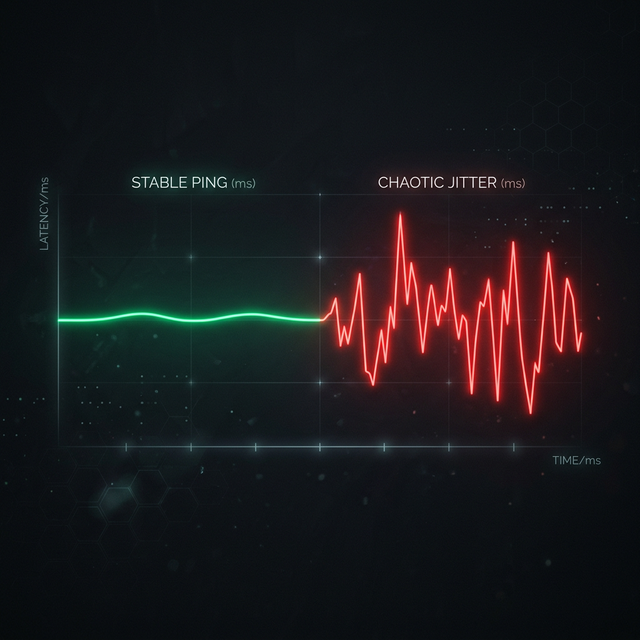
The variation in your ping over time from moment to moment. A perfectly stable 50ms ping feels smoother and easier to adapt to than a ping uncontrollably bouncing between 20ms and 120ms every few seconds. Jitter causes the game world to stutter unpredictably and your movement to feel erratic and inconsistent.
Ideal: Under 5ms variation for competitive, under 15ms for casual
Packet Loss
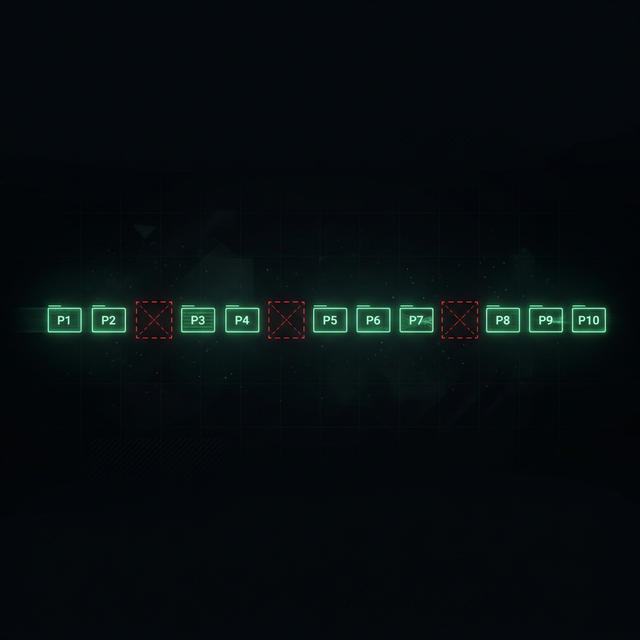
The percentage of data packets that are dropped and never arrive at the server. Even 1% packet loss causes noticeable rubberbanding, teleports, and hit registration failures (ghost bullets). The server simply never receives your input, so it has to guess where you are, leading to severe desync between your screen and reality.
Ideal: 0% always. Any packet loss above zero is a crippling problem.
"A humble 50 Mbps fiber connection with an 8ms ping will absolutely destroy a 1 Gbps gigabit cable connection with an 80ms ping in every competitive multiplayer game. Always. Bandwidth is marketing; latency is king."
Where Bandwidth Actually Matters for Gamers
Game downloads and massive updates. Modern AAA games are enormous, and they are only getting bigger. Call of Duty routinely exceeds 150 GB, and even modest indie titles are often 20 GB. A classic 25 Mbps connection takes over 13 hours to download a 150 GB game. At 500 Mbps, it takes about 40 minutes. If you buy new digital games frequently, play live-service games with massive weekly seasonal updates, or need to quickly reinstall a game to join friends, higher download bandwidth saves you hours of frustrating wait time.
Streaming while gaming (Twitch / YouTube). If you plan to stream your gameplay live to Twitch or YouTube, your bandwidth requirements change dramatically. You now need dedicated upload bandwidth for the video stream (typically 6 to 10 Mbps for a high-quality 1080p60fps stream) on top of the minimal bandwidth for the game itself. Furthermore, you need significant upload headroom above that 10 Mbps baseline to ensure any small network fluctuations do not cause your broadcast software (like OBS) to drop frames.
Combating household bufferbloat. If you share a living space with family or roommates, high bandwidth acts as a protective buffer. If you are gaming on a 30 Mbps connection while two roommates try to stream 4K Netflix, your connection will hit 100% capacity. This creates "bufferbloat"—the router's traffic queues fill up, forcing your tiny, time-sensitive gaming packets to wait behind massive blocks of video data. This manifests as severe ping spikes (lag) in your game. A 500 Mbps connection prevents this because it is almost impossible for a normal household to accidentally saturate a pipe that large, ensuring your gaming packets never get stuck in a router queue.
The Power of QoS (Quality of Service). If you cannot upgrade your bandwidth to escape household bufferbloat, your best defense is a router with Smart Queue Management (SQM) or QoS features. By logging into your router and enabling QoS, you can explicitly tell the network hardware: "Always process packets from my gaming PC first." Smart routers can identify gaming traffic versus Netflix or download traffic, ensuring your low-latency game packets bypass the traffic jams caused by your household's heavy downloads.
Recommended Minimum Specs for Gaming
| Scenario | Min Download | Max Ping | Connection Type |
|---|---|---|---|
| Solo gamer, no streaming | 25 Mbps | 50ms | Any wired (Ethernet) |
| Competitive gamer | 50 Mbps | 20ms | Fiber + Ethernet |
| Gamer + live streamer | 100 Mbps | 30ms | Fiber preferred (high upload) |
| Gaming household (3+ gamers) | 300+ Mbps | 30ms | Fiber + QoS router |
Frequently Asked Questions
Can I game competitively on WiFi?
You can, but you absolutely should not for competitive games. WiFi operates on shared radio frequencies subject to massive interference from surrounding networks, microwaves, and sheer physical distance. This adds a baseline 5 to 25ms of latency, introduces severe jitter from radio interference, and frequently causes packet loss from momentary signal degradation. For casual single-player or turn-based strategy games, WiFi is perfectly fine. For competitive multiplayer titles where 30ms decides the gunfight, direct Ethernet is non-negotiable.
Will an expensive "gaming router" instantly reduce my ping?
No. A glowing spider-looking gaming router cannot reduce the physical latency to distant geographical game servers (that is determined entirely by physical routing cables and distance). However, a high-quality router with sophisticated SQM (Smart Queue Management) or explicit QoS will aggressively prevent other devices on your home network from increasing your ping through bufferbloat. If you live in a household with many connected devices constantly streaming and downloading, a QoS-capable router is an intelligent, worthwhile investment that will stabilize your ping.
Is 5G Home Internet good enough for online gaming?
5G fixed wireless from providers like T-Mobile or Verizon typically delivers 20 to 40ms latency under ideal conditions, which is acceptable for casual gaming. However, because 5G relies on shared cellular tower capacity, the latency is highly variable. During peak evening hours, the network can become congested, leading to sudden ping spikes and packet loss not seen on hardwired connections. The inherent jitter of radio broadcast also makes it less ideal than wireline. For competitive gaming, a wired fiber or cable connection with lower, drastically more consistent latency is always preferable.
Related Tools
Live Speed Test
Measure your exact connection speed in Mbps right now.
Wi-Fi Speed Test
See how much speed your wireless connection is losing.
Continue Reading
How to Reduce Ping: 12 Proven Methods
What is Jitter? A Simple Guide to Network Stability
How to Fix Packet Loss in Gaming
Is your connection unstable?
Don't just guess. Use our real-time monitor to see exactly what's happening with your download, upload, and ping variance right now.
START GAMING PING TEST