
What Is Latency? Everything You Need to Know
Measure Your True Jitter Score
We just launched MyJitter.com, a specialized tool built exclusively for competitive gamers to analyze network stability and rank their connection.
Latency Explained Simply
Latency is the specific amount of time it legally takes for a single piece of data to travel from Point A to Point B across a network, and then back again. It is meticulously measured in milliseconds (ms) and is most commonly referred to as "ping" within gaming contexts. While bandwidth (Mbps) measures how much data your connection can carry simultaneously, latency measures how fast any single, individual piece of data can complete its journey.
The classic, easiest-to-understand analogy is a highway system. Bandwidth represents the total number of lanes on the highway. More lanes mean significantly more cars can travel simultaneously side by side. Latency, however, is the actual speed limit of those cars. No matter how incredibly wide you make your 100-lane highway, every single car still takes the exact same amount of time to travel from Point A to Point B if constrained by a 30 mph speed limit. A massive 10-lane highway with a slow 30 mph speed limit delivers immense total traffic volume, but each car is slow to arrive. A narrow 2-lane highway with a blazing 100 mph speed limit delivers fewer total cars, but each one arrives at its destination rapidly.
What Causes Latency?
Physical Distance
Light travels through fiber optic cable incredibly fast, but not instantaneously (roughly 200,000 km/s). A data packet traveling from a computer in New York to a server in London (crossing 5,500 km of submarine transatlantic cable) takes an unbreakable minimum of 27ms in each direction, or 54ms round trip. This represents the ultimate speed of light floor that no software update or new router technology can ever reduce.
Network Hops
Your data rarely takes a direct line. It passes through multiple routers and network switches between your home and the destination server. At every single hop, a router must receive the packet, read its header, consult a massive routing table, determine the best next destination, and forward it. Each device adds 1 to 5ms of processing time. A typical cross-country connection traverses 10 to 20 individual hops.
Sub-optimal ISP Routing (Peering)
Sometimes your physical distance is short, but your latency is unexpectedly high because your ISP has poor "peering agreements." Instead of trading traffic directly with the game server's local network in your city, your ISP might route the data 500 miles away to a major internet exchange hub where they have a cheaper bulk data agreement, only for the data to be routed 500 miles immediately back to the server in your city. This wildly inefficient "tromboning" of data can easily double your ping unnecessarily.
Network Congestion (Bufferbloat)
When any router along the path—especially the one operating in your own home—is handling more total traffic than its processing hardware or connection bandwidth can transmit instantly, packets queue up in a memory buffer. This queuing delay can randomly add 10 to 300ms during peak hours or heavy household downloading sessions, far exceeding the physical distance delay and causing sudden, maddening lag spikes.
Last Mile Technology
The physical connection type situated between your home and your ISP's nearest node establishes your "baseline" latency floor. Direct fiber optic is the absolute fastest, adding only 1 to 3ms. Cable (DOCSIS) adds 5 to 15ms due to complex signal encoding. Legacy DSL telephone lines add a grueling 10 to 40ms. Traditional geostationary satellite internet adds a devastating, permanently unplayable 500 to 700ms because the signal must physically travel 22,000 miles to orbit in space and back again.
WiFi Overhead
Wireless connections intrinsically add 2 to 15ms of latency due to necessary radio channel contention, complex encryption processing, and invisible signal retransmissions caused by interference from neighboring routers or household appliances.
Latency Benchmarks: What Is Considered Good?
| Latency Range | Rating | Typical Connection Source |
|---|---|---|
| 1 to 20ms | Excellent | Fiber connection directly to a local data center |
| 20 to 50ms | Good | High-quality cable/fiber to a regional server |
| 50 to 100ms | Acceptable | Long distance connection to a server in a neighboring country |
| 100 to 200ms | Poor | Intercontinental transoceanic connections or congested networks |
| 300ms+ | Unusable for real-time | Geostationary satellite internet or severely degraded cell networks |
Latency vs Bandwidth: Why Both Matter Distinctly
Many people constantly confuse latency with total speed. They logically assume that upgrading to "faster internet" means receiving both more bandwidth and lower latency simultaneously. In reality, these are entirely independent measurements that affect entirely different aspects of your digital experience.
Bandwidth determines how quickly massively large amounts of data can be transferred sequentially. It matters enormously for downloading gigabyte files, streaming 4K video, and loading media-heavy web pages. Latency solely determines how responsive interactive applications feel. It is the lifeblood for competitive gaming, professional video calls, clear voice chat, remote desktop sessions, and any application where real-time, instantaneous interaction is mission-critical.
You can easily have immense high bandwidth with terrible high latency: a traditional satellite internet connection might offer 100 Mbps but a crushing 600ms of ping. Downloads finish quickly once they finally start, but every single click has a half-second delay. Conversely, you can have exceptionally low bandwidth with flawless low latency: a basic introductory fiber plan might offer only 25 Mbps but 5ms of ping. Large downloads are noticeably slower, but everything you click feels telepathically instant and responsive.
"Bandwidth is fundamentally how much water can flow through the main pipe. Latency is precisely how long it takes for the very first drop to successfully reach the other end. For real-time applications, latency is overwhelmingly what you feel."
How to Strategically Reduce Latency
Use a hardwired Ethernet connection instead of WiFi. This immediately eliminates the 2 to 15ms of wireless radio overhead instantly, providing the single easiest, cheapest latency fix.
Connect to geographically closer game servers. You cannot artificially make light travel faster through cables, but you can drastically shorten the physical distance it needs to travel by manually selecting servers in your region.
Switch to a true fiber optic ISP if available. Fiber utilizes light, bringing inherently lower last-mile processing latency than electrical-based Cable or DSL networks.
Enable QoS/SQM on your home router. This intelligently prevents bandwidth-hungry background tasks (like someone streaming Netflix) from creating router queue bufferbloat, which is one of the single largest and most easily avoidable sources of latency on shared home networks.
Aggressively close unnecessary background applications. Anything quietly uploading or downloading data (like OneDrive syncing) creates subtle queue delays in your router, silently increasing latency for everything else you do.
Consider Starlink for remote rural areas. SpaceX's revolutionary low-earth orbit satellite constellation orbits exceptionally close to earth, offering 20 to 40ms latency compared to the 600ms+ from traditional distant geostationary satellites. This makes it a viable, albeit expensive, alternative for gaming and video calls where older satellite technology was completely unusable.
Frequently Asked Questions
Is latency literally the identical same thing as ping?
Practically, yes. "Ping" originally referred to the specific command-line network utility tool used by network administrators to measure latency by sending an ICMP echo request. But in common, everyday usage—especially relentlessly in gaming—the terms are completely and totally interchangeable. When a competitive gamer loudly complains "my ping is 150ms," they fully mean their measured network latency to the game server is 150 milliseconds round trip.
Can routing through a VPN actually lower my latency/ping?
Usually, absolutely no. A VPN fundamentally adds an extra encrypted hop to your connection, which normally reliably increases latency by 5 to 20ms purely from the encryption processing load. However, there is a very rare exception: if your specific ISP has notoriously terrible "peering" arrangements and is badly routing your traffic through an inefficient, long-distance path to the game server, connecting to a VPN server located physically near the game server can sometimes forcefully mandate a shorter, more direct physical route, potentially lowering your ping. This specific routing bypass is precisely how premium "gaming VPNs" aggressively market themselves.
Can I ever technically get 0ms latency?
No. The only conceivable way to achieve perfect 0ms latency is if the server software is running entirely locally on your exact own machine (localhost loopback). Any real external network connection across the internet mandates absolute time for electronic or optical light signals to physically travel through cables and for silicon hardware to process, review, and route the packets. Even two advanced computers sitting right next to each other, connected directly with an expensive, short gigabit Ethernet cable, will display a measurable 0.1 to 0.5ms of baseline processing latency.
Why does my latency inevitably spike out of control at night?
Aggressive evening latency spikes (typically between 7 PM and 11 PM) are widely caused by local network neighborhood congestion. When everyone in your immediate neighborhood comes home and begins streaming high-demand Netflix in 4K, downloading massive game updates, and having video calls simultaneously, your ISP's vital local neighborhood node reaches its maximum hardware traffic capacity. When the overwhelmed hardware cannot process incoming packets instantly, routers place the excess data into temporary memory queues. These frustrating waiting lines (bufferbloat) add massive wait times that instantly and directly increase your measured latency, causing your otherwise stable 30ms ping to violently and randomly spike to an unplayable 200ms.
Related Tools
Live Speed Test
Measure your exact connection speed in Mbps right now.
Wi-Fi Speed Test
See how much speed your wireless connection is losing.
Continue Reading
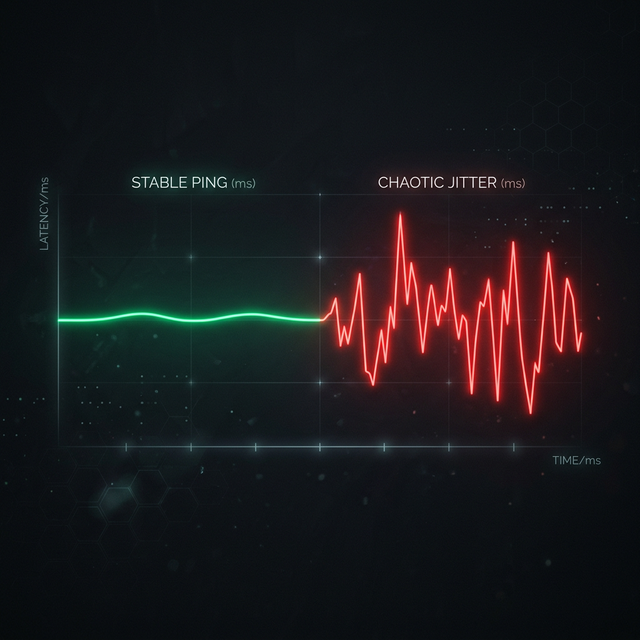
What is Jitter? A Simple Guide to Network Stability

How to Reduce Ping: 12 Proven Methods

How Much Internet Speed Do I Need for Gaming?
Is your connection unstable?
Don't just guess. Use our real-time monitor to see exactly what's happening with your download, upload, and ping variance right now.
START REAL-TIME TEST