Why Is My Internet Slow? 10 Causes and How to Fix Them
Live Diagnostic Test
Run this test while reading to diagnose your connection.





Why is my internet so slow all of a sudden?
When your internet speed drops abruptly, the cause is usually local or temporary. If everything was fine an hour ago and now it's crawling, it's rarely a permanent infrastructure issue. The most common culprits for sudden drops are background processes you aren't aware of. For instance, a device on your network might have suddenly started downloading a massive operating system update, or a cloud backup service just kicked in to upload large files.
Sudden slowdowns can also be caused by temporary ISP outages, where your provider reroutes traffic due to a damaged cable or failing node. This sudden redirection causes temporary congestion. Before panicking, wait 15 minutes to see if it resolves, and check if any device in your home is actively hogging bandwidth. You can read more about how to detect ISP throttling here.
Why is my internet so bad?
If your internet is consistently "bad" rather than just experiencing a temporary dip, you're likely facing a systemic issue with your setup or your ISP's infrastructure. "Bad" internet usually means one of three things: low throughput (slow downloads), high latency (delayed responses), or high jitter (inconsistent connections).
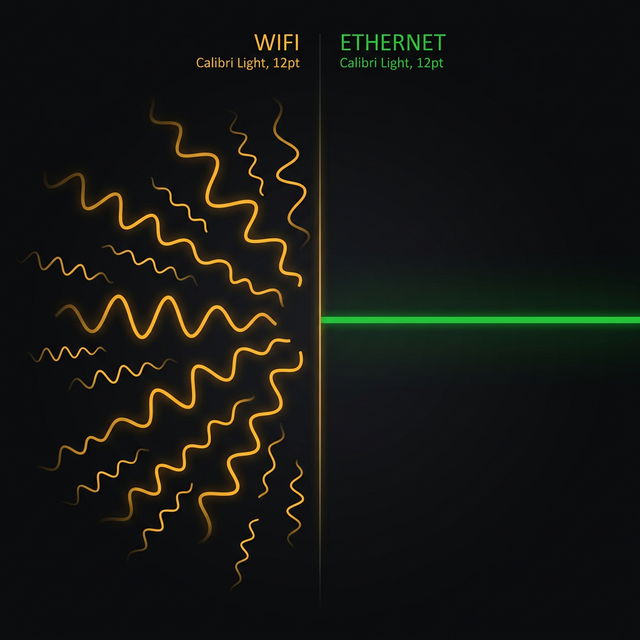
Consistently bad internet often stems from outdated hardware. If you are paying for 500 Mbps but using a router from 2016, your router is the bottleneck. It physically cannot process the data fast enough. Another major cause for persistently bad internet is relying on older Wi-Fi standards (like Wi-Fi 4) instead of modern Wi-Fi 6 or a wired Ethernet connection. If you want to know which is better for you, check our Wi-Fi vs. Ethernet comparison.
Why is my internet lagging?
"Lag" is fundamentally different from "slow downloading." Lag refers to high latency or ping. You can have a massive 1 Gbps connection and still experience terrible lag if your ping is high. Lag is caused by the time it takes for data to travel from your device to the server and back.
The most common cause of lag is physical distance to the server. If you live in New York and connect to a server in Tokyo, you will lag regardless of your internet speed. However, if you are lagging on local servers, the issue is often Wi-Fi interference, a failing router, or bufferbloat. Bufferbloat happens when your network is congested by other devices, causing packets to queue up and delay your gaming or video call data. Understanding latency is key to fixing lag.
Internet running slow? The 10 Most Common Causes
1. Your Router Needs a Reboot
This is the "turn it off and on again" cliche, but it genuinely works more often than you would expect. Routers are small computers that manage millions of network packets every hour. Over weeks of continuous operation, their memory can leak, their routing tables can become cluttered with stale entries, and their processor can get bogged down by accumulated connection states. Simply unplugging the router from power for 30 seconds, then plugging it back in, clears all of this and forces a completely fresh start. It sounds too simple, but it resolves the issue approximately 30% of the time.
2. Wi-Fi Channel Congestion
If you live in an apartment building, you are surrounded by dozens of routers all broadcasting on the same radio frequencies. The 2.4 GHz band only has 3 non-overlapping channels (1, 6, and 11), so in a dense building, you might have 15 routers all competing on channel 6. This causes constant packet collisions, retransmissions, and dramatically reduced throughput. You can use free apps like "WiFi Analyzer" on Android or the built-in diagnostics on macOS to see which channels are least crowded, then manually set your router to that channel in its admin panel.
3. Physical Distance and Interference
The 5 GHz Wi-Fi band offers faster speeds, but it is notoriously poor at penetrating solid objects. A single drywall wall can reduce signal strength by 50%, and concrete or brick walls are considerably worse. Two walls and a floor? Your device may barely maintain a connection. Metal objects like filing cabinets, mirrors, and especially refrigerators are particularly devastating to Wi-Fi signals. If you cannot move closer to the router, consider a mesh Wi-Fi system or strategically placed access points to blanket your home in strong signal.
4. Network Saturation from Other Devices
Your internet connection is like a highway with a finite number of lanes. When someone on your network is syncing a massive Dropbox folder, downloading a 100 GB game update, backing up their phone to iCloud, or streaming 4K video on three different TVs, those activities consume bandwidth lanes. Once all lanes are full, every new request (including your web browsing) gets stuck in traffic. This phenomenon is called "bufferbloat" and it causes both slow speeds and extreme ping spikes simultaneously.
5. ISP Throttling
Some Internet Service Providers intentionally slow down (or "throttle") specific types of traffic during peak hours. They might target video streaming services like Netflix or YouTube, peer-to-peer file sharing, or even gaming traffic. The telltale sign is when a speed test shows full speed, but a specific application performs poorly. To test for ISP throttling, try using a VPN. If your Netflix suddenly works perfectly through a VPN, your ISP was likely throttling that specific service because the VPN encrypts the traffic so your ISP cannot identify what it is.
6. Outdated Network Hardware
If you have a modern gigabit internet plan but you are using a router from 2015, the hardware simply cannot process data fast enough. Older routers with 100 Mbps Ethernet ports cap your wired speed regardless of what your ISP provides. Similarly, older Wi-Fi standards (802.11n or earlier) cannot deliver the full bandwidth of modern plans. Check that your router supports Wi-Fi 5 (802.11ac) at minimum, or ideally Wi-Fi 6 (802.11ax) or Wi-Fi 6E for the best performance.
7. Background Applications Consuming Bandwidth
Check your device's Task Manager (Windows) or Activity Monitor (Mac). You might be surprised to find that cloud backup services, automatic software updates, torrent clients running in the system tray, or even a browser tab with a hidden video ad are secretly consuming your bandwidth. Crypto-mining malware is another stealthy bandwidth thief that can drain both your internet speed and your CPU without any visible symptoms.
8. Faulty Physical Cables
The cable running from the street to your modem is vulnerable to water damage, pest damage (squirrels and rats are notorious cable chewers), UV degradation from sun exposure, and general wear over time. A damaged cable causes intermittent connection drops, random speed fluctuations, and mysterious ping spikes that seem to come and go without pattern. If your issues are weather-dependent (worse during rain), a damaged outdoor cable is almost certainly the cause.
9. Slow DNS Servers
DNS is the internet's phonebook. Every time you type a URL or click a link, your browser first asks a DNS server to translate that domain name (like "google.com") into an IP address. If your ISP's DNS servers are slow or overloaded, every new page load starts with a noticeable delay. Switching to a faster DNS server like Cloudflare (1.1.1.1) or Google DNS (8.8.8.8) is completely free and often shaves several hundred milliseconds off every page load.
10. Peak Hour Neighborhood Congestion
This is particularly relevant for Cable (DOCSIS) internet connections. Unlike fiber, where each home gets a dedicated optical line, cable internet shares bandwidth across your local neighborhood node. When everyone on your block comes home from work and starts streaming 4K video simultaneously around 8 PM, the shared node gets congested and everyone experiences reduced speeds. If this is your regular experience, the only permanent fix is switching to a fiber connection where available.
Troubleshooting Flowchart
Frequently Asked Questions
Should I call my ISP first?
Not yet. First, reboot your router. Then test with a wired Ethernet connection. If the speed is still far below your plan's advertised rate on a wired connection after a reboot, then call your ISP with that data. Saying "I tested on Ethernet at 50 Mbps but I am paying for 500 Mbps" is far more effective than "my Wi-Fi seems slow."
Why is my speed test fast but everything else feels slow?
Speed tests are designed to measure peak throughput under ideal conditions. They use nearby servers and prioritized connections. Real-world browsing involves DNS lookups, TLS handshakes, distant servers, and competing traffic. Also, some ISPs detect speed test traffic and temporarily boost your connection (this is called "fast-laning"). Using a VPN during a speed test can reveal if this is happening.
Can a virus slow down my internet?
Absolutely. Malware, particularly cryptominers and botnet software, uses your internet connection to communicate with remote servers, mine cryptocurrency, or participate in distributed denial of service attacks. All of this happens invisibly in the background, consuming both bandwidth and CPU resources. Run a full malware scan with a reputable tool if you notice unexplained speed drops.
Does the weather affect my internet speed?
For cable and DSL connections, yes. Heavy rain can cause water to seep into outdoor cable connections, degrading signal quality. Extreme heat can expand cable joints, creating loose connections. Fiber optic connections are virtually immune to weather effects since they use light signals instead of electrical signals. If your internet consistently degrades during storms, ask your ISP to inspect your outdoor cable runs for weather-sealed connections.
Related Tools
Live Speed Test
Monitor your internet speed continuously to catch random drops.
Jitter Test
Check if your connection is stable enough for gaming and VoIP.
Continue Reading

Is Your ISP Throttling You? Here's How to Tell

Why Is My Internet Slow at Night?
WiFi vs Ethernet: Real Speed Comparison
Is your connection unstable?
Don't just guess. Use our real-time monitor to see exactly what's happening with your download, upload, and ping variance right now.
START REAL-TIME TEST